 Fish Eat Fish
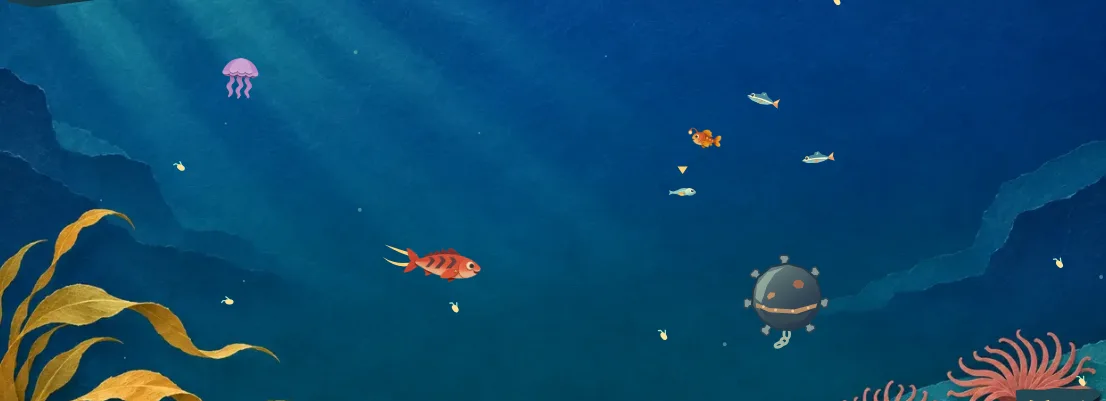
You can play Fish Eat Fish here if your browser and network allow the site. Press Play to open the original Lantern Shoal game in this page. It runs in the browser, with no account, installer or separate game host to open. Access on a school or work device depends on that device and network.
A cover is waiting on purpose
Seeing the fish illustration and Play button means the page is ready. The game artwork starts loading after you press the button. Wait for the cove to open in the same space, then steer toward the golden speck of plankton. The water waits for your first movement. If you see a fish portrait, select Continue swimming to return to the dive.
If the artwork fails to load, the game offers Try again. Check whether the page itself opens on the connection you are using. A page that opens but cannot save your best score can still play for the current visit. In the Reef locker you can see whether the browser can retain progress.
When a device restricts the site
A managed device may display a school or workplace block page before the cover appears. Its administrator controls access. If games are allowed during a break, ask whether fisheatfish.app is approved. The game has one official entrance here. Fullscreen changes the view of a running dive and uses the same connection as the rest of the page.
To play on your own device, open Fish Eat Fish in a browser with an internet connection. Head to How to play for mouse, keyboard and touch controls, or the two-player page if you are sharing a screen.
The game opens, but my fish is standing still
A fresh dive holds the water still until you move. On a computer, press a direction while the game has focus, or move the mouse into the cove. On a phone, drag on the water. Look for the little triangle over the tiny glass larva. If the fish turns and the plankton slips past your nose, the dive is already running. Holding Dash without choosing a direction does not start a swim.
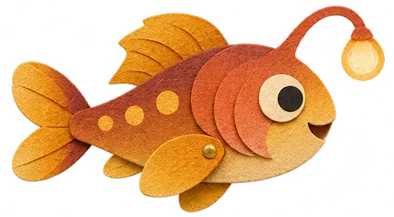
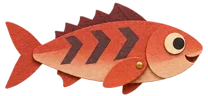
A cream-colored card over the scene means the game is paused. A new-fish introduction has a portrait and a Continue swimming button. A pause card offers actions such as Keep swimming, Field guide and Reef locker. Closing the relevant card returns to the same run. A player who switches tabs and comes back may find the pause card open, even though the game was moving when they left.
I can read the page, but the game never appears
The rules and comments sit outside the game. Being able to read them tells you the page has loaded, but the illustrated cove still has to open after you press Play. Watch the exact spot where the cover was. The loading bubbles appear there, then the swimmer and the pause tab replace them. The original game runs inside that space on this site.
If you see an artwork error, Try again requests those files again. If you reload the entire page, an active dive will start over. When a dive is still working, bank the run first to keep earned pearls. If the same device consistently receives a network restriction notice, the person responsible for that network can tell you whether game access is available there. There is no special access code inside Fish Eat Fish.
The game works, but my progress disappeared
Look in the Reef locker during a dive. It reports whether the browser can keep a save. Pearls and best scores belong to the browser profile you used. Opening the site on a different phone or a shared computer starts with that browser’s own collection. Sharing a game link lets another person play but does not send along your progress.
A nearly finished dive can also look like missing progress if it was never banked. Returning to shore adds one pearl for each complete group of 25 points per swimmer, plus one for each ribbon catch. An ordinary early bite can score points without paying a whole pearl. Check the result card before closing the page. Privacy and game saves explains what clearing site data removes.
Which play option should I try?
If you have a short break and the site is allowed, choose the main Play button and use a solo dive. You can pause at any moment or surface early. If two people are allowed to use the same device, open the two-player page. Use a keyboard to swim together, or take separate turns on a phone. Both options load the same small cove and the same ten playable fish.
The embedded game does not need a separate app or an online room. A working internet connection is needed to open the page and fetch the artwork. Once you see the water, you can judge whether the controls, pause menu and local saves are available by trying them directly in that browser.